


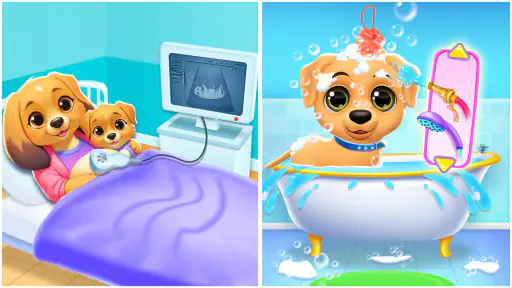
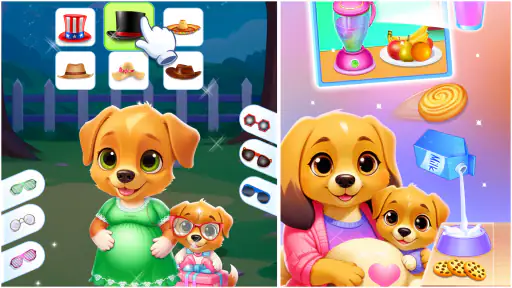
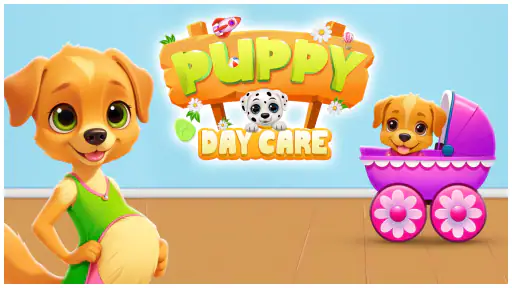
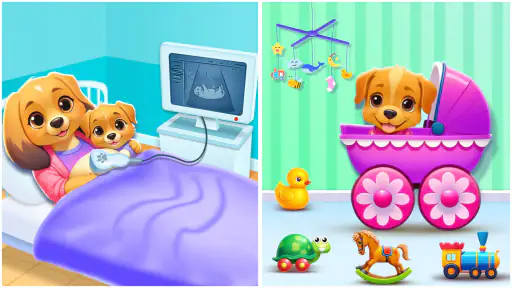
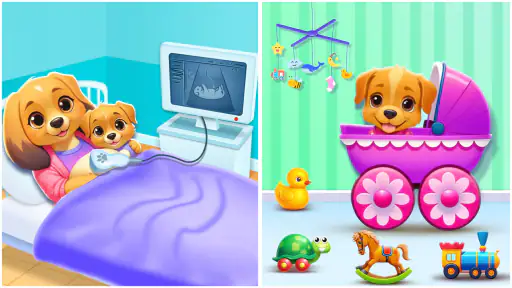
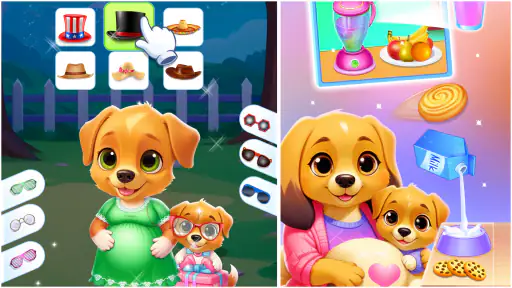
Some children’s apps are built around a single quick activity, while others try to create a small routine that a child can return to. Baby Puppy Game belongs to the second group. I found it easiest to understand as a pretend pet-care experience: the child looks after a puppy, handles everyday care tasks, gives it attention, and changes its appearance. That combination makes it more suitable for short, guided play than for children looking for a deep adventure game.
The app is free, aimed at Everyone, and comes from Pi Games Studio. It sits in the parenting category, although the actual experience is playful rather than instructional. Its store summary focuses on caring for, feeding, bathing, grooming, dressing, and enjoying time with a puppy. In practice, that mix gives parents a simple way to offer a child a calm, familiar activity with an obvious beginning and several small tasks to explore.
I would not present it as a replacement for a real pet-care lesson, nor as a game with a large world to master. Its appeal is more immediate: a child can open it, recognize the puppy, choose a care activity, and see a visible response. That clarity matters for younger players who may become frustrated by complicated menus or rules. At the same time, the simplicity means older children may move through the available activities quickly.
How the puppy-care routine works in everyday play
The most useful way to approach the app is to treat it like a repeatable routine rather than a conventional level-based game. I would start with one care action, let the child finish it, and then move naturally to another. Feeding, washing, grooming, dressing, and pet interaction each suggest a different kind of play, so the child can choose based on mood instead of being forced into a demanding sequence.
For a younger child, the first session works best with an adult nearby. I would demonstrate one action slowly, then hand over the device and ask the child what the puppy needs next. This turns tapping into a small conversation about care: Is the puppy dirty? Does it need food? Which outfit looks comfortable? The app does not need to carry the whole interaction by itself; it works better when the adult adds the imagination and language around the activity.
A realistic use case is a short transition before dinner or bedtime. Rather than opening a fast action game that may make it harder to settle down, a parent can let the child complete one or two puppy-care activities and then close the app. The predictable theme helps create a stopping point. I would avoid leaving it open as an endless distraction, because the value is in the focused routine, not in keeping a child occupied indefinitely.
The care theme also gives siblings a simple way to play together, although the experience is still designed around one person holding the device. One child can choose the care task while another suggests what the puppy should wear. This works particularly well when adults set a small goal, such as cleaning the puppy and choosing an outfit, instead of asking children to explore without direction.
The strongest part of the baseline workflow is its low entry barrier. A child does not need to understand a complicated story, remember a map, or learn a long list of controls before doing something meaningful. The puppy provides a clear focus, and the familiar care activities make the app approachable even during a first session.
What I would check before handing it over
Because the app is intended for children, I would first open it myself and inspect the complete flow from the first screen through each available activity. This is less about finding a secret feature and more about learning where the child may need help. A short adult preview can show whether the controls are obvious, whether the child can move between activities comfortably, and whether the pace suits the child’s age.
The device itself also matters. On a smaller phone, dressing and grooming interactions may feel more cramped than they do on a larger screen. A tablet can make shared play easier because the child can see the puppy clearly while an adult points to an option. I would keep the device stable on a table rather than expecting a young child to hold it throughout the session.
It is worth checking the sound level before play begins. Even when an app is gentle, sudden audio can be distracting in a quiet room. I would set a comfortable volume and decide whether the child needs sound at all. If the app remains understandable without audio, a quieter setup may work better during travel, waiting rooms, or evening play.
I would also establish a simple time boundary outside the app. Since the activities are easy to repeat, a child may continue asking for “one more” care action. A timer, a finished routine, or a clear promise to return later gives the session a natural ending. This is a practical habit with this particular style of virtual pet play: the open-ended format can be pleasant, but it does not automatically tell a child when to stop.
Settings and device habits that make play smoother
The most useful settings are often on the phone or tablet rather than inside the game. I would enable a child-friendly screen lock or guided-use mode when available on the device, especially if the child is likely to tap navigation buttons or leave the app. This keeps the session focused on the puppy and reduces the chance of accidental movement into unrelated parts of the device.
Before play, I would close demanding background apps and make sure the device has enough battery for the planned session. That is ordinary preparation, but it prevents a child from losing interest because the device becomes slow or shuts down halfway through a care activity. I would also clean the screen, since grooming and dressing interactions are easier when taps register reliably.
The age rating of Everyone makes the app broadly suitable for family use, but that should not be confused with “no supervision needed.” Younger children may still need help understanding what each icon means or how to move on after completing a task. My preferred approach is light supervision: stay close during the first few sessions, then let the child work independently once the controls are familiar.
Since the price is free, it is easy to try without making a purchase decision first. I still recommend that an adult inspect the experience before giving the device to a child, especially if the device is shared. This is a general family-device habit, but it is particularly sensible for a child-focused app that may be used by tapping freely across the screen.
For travel, I would prepare the app at home rather than opening it for the first time in a car or waiting room. A child who needs help with the basic flow may become impatient when an adult is also managing bags, tickets, or other children. A quick test session reveals whether the app fits the situation and whether the child can use it with minimal assistance.
Faster patterns for parents and returning players
Experienced use does not come from complicated shortcuts; it comes from choosing a repeatable order. I found that a care-first pattern is easier for young children than jumping randomly between screens. Start with the activity that seems most obvious, complete it, then move to a visual choice such as grooming or dressing. Ending with a playful interaction gives the session a sense of completion.
Another useful pattern is to offer limited choices. Instead of asking, “What do you want to do?” an adult can ask, “Should we feed the puppy or wash it first?” Two options are enough to encourage decision-making without turning the menu into a source of frustration. After that task, offer two clothing or grooming choices. This keeps the child involved while preserving a manageable pace.
I would avoid doing every activity for the child. The purpose of the app is not simply to display a finished puppy; it is to let the child participate in the care. If a tap is missed, I would give the child another attempt before stepping in. That small pause makes the experience feel like play rather than a demonstration controlled by the adult.
A helpful habit for repeated sessions is to change the conversation, not just the on-screen action. One day, talk about cleanliness and routine. Another day, focus on choosing colors or creating an outfit. On a different occasion, ask the child to invent a story about where the puppy is going. The app’s activities remain simple, but the surrounding play can stay fresh when the adult changes the prompt.
For children who become attached to a particular sequence, keeping that sequence consistent can be reassuring. A familiar order reduces the need to explain the controls every time. Once the child is confident, the adult can gradually remove prompts and let the child decide the routine. This is a better progression than introducing every activity at once.
I also recommend ending on a completed action rather than closing during a transition. If the child finishes grooming or dressing, say that the puppy is ready and close the app there. That creates a clear mental endpoint and makes it easier to resume another day. It is a small workflow improvement, but it helps a free-form pet-care app fit into real family schedules.
Where the experience reaches its limits
The same simplicity that makes the app approachable also limits its long-term depth. Children who want collecting, exploration, difficult challenges, or a strong story may find the experience repetitive. The puppy-care theme can hold attention for short sessions, but it is not the right choice for a child who expects the complexity of a larger adventure or simulation game.
I would also be cautious about presenting the app as a way to teach complete responsibility for a real animal. Virtual feeding and grooming can introduce the idea of routine, but they do not show the work, cost, patience, or unpredictability involved in caring for a living pet. The best educational value comes when an adult connects the game with real-world discussion rather than treating the game as a full lesson.
Older children may need more independence than the app’s straightforward design provides. Once they understand the available care activities, there may be little reason for them to return unless they enjoy the role-play itself. For that audience, a more involved pet simulator or creative game may offer stronger replay value. I would choose this app for accessibility and gentle pretend play, not for advanced progression.
There is also a practical difference between playing alone and playing with guidance. A child who already understands touch controls can move through the experience comfortably, while a child unfamiliar with similar apps may need an adult to explain what to tap. That is not a flaw in the puppy theme, but it means the first session should not be judged as a completely independent activity for every child.
The current version is 82.0, and the app requires Android 8.0 or later. That makes checking the device’s operating-system version a sensible first step before planning a family session. Compatibility is especially important on older phones or tablets kept for children, because those devices may not receive the same updates as a parent’s main phone.
The app has reached over a million installs and holds an average rating of 3.9 from around 1.8 thousand ratings. Those figures suggest that it has found a substantial audience while also leaving room for mixed experiences. I would read that as a reason to try it with the specific child in mind, not as proof that every family will enjoy the same routine.
Who should choose it, and who should skip it
I would recommend it to parents looking for a free, gentle puppy-themed activity for a young child, especially when the child enjoys pretend care, animals, clothes, and simple touch interactions. It is also a reasonable option for a short supervised session when a family wants something less demanding than a competitive game.
It suits children who benefit from visible, concrete actions. A child can understand the idea of washing a puppy or selecting an outfit without needing to follow a complicated plot. That makes it a useful starting point for conversations about routines, choices, and kindness toward animals, provided the adult supplies the real-world context.
I would skip it for children who dislike repetition, want substantial exploration, or become frustrated when an app does not offer increasingly difficult goals. I would also look elsewhere if the main purpose is formal learning, detailed pet education, or a multiplayer experience. A storybook app may be better for language practice, while a deeper simulation may be better for older children who want systems to manage.
Compared with a basic animal video, this app gives the child something to do rather than only something to watch. Compared with a full pet simulator, it is easier to enter but less likely to reward long-term planning. Compared with a physical toy, it is convenient and tidy, but it cannot replace the sensory and social experience of caring for a real stuffed animal or helping with an actual household routine.
My final recommendation after using the full routine
Baby Puppy Game works best when I use it deliberately: preview it, choose a short care routine, offer limited choices, and stop after a completed activity. That approach brings out its real strength, which is approachable pretend play with a familiar puppy theme. It is not trying to be a demanding game, and judging it by that standard would miss the reason a younger child may enjoy it.
Pi Games Studio has made an app that is easy to explain and easy to fit into a family moment. The free price lowers the barrier to trying it, and the Everyone rating makes it a natural candidate for shared play. Still, the experience benefits from adult guidance, sensible device settings, and realistic expectations about repetition.
My verdict is positive for the right audience: young children who enjoy animal care and need a simple activity they can understand quickly. I would recommend starting with a supervised session rather than handing over the device without context. If the child enjoys repeating the puppy routine and inventing stories around it, the app can become a pleasant little part of the day. If the child is looking for challenge, discovery, or a richer simulation, I would choose a more advanced alternative instead.
Use it as a short, guided pretend-care activity, not as an endless replacement for real play. With that expectation, its uncomplicated design becomes an advantage rather than a weakness, and the puppy has enough personality to make a few everyday minutes feel engaging.


